Get paid to your handle
Once your handle points at an address, @you becomes something people can pay in a tap. Every handle gets a QR code and a shareable payment link — no one ever has to copy a wallet address again.
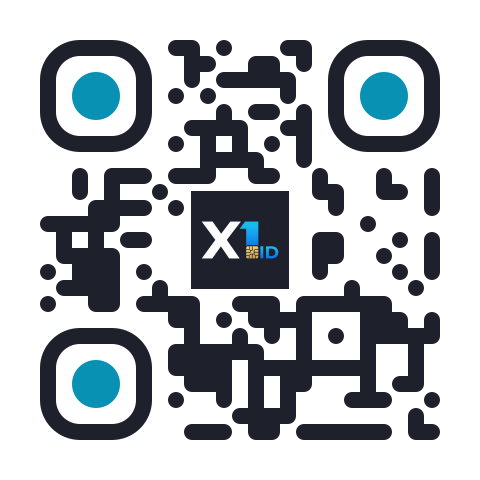 An example of an X1ID pay QR.
This QR is an example only — it encodes the placeholder @yourname, which isn't a real handle, so scanning it doesn't point at anyone or move any funds. Your handle's own page generates a QR for your address.
A QR code to scan
Your handle's payment page shows a QR of your X1 address. Any Solana-format wallet can scan it and pay you — hold it up at a table, put it on a screen, print it on a flyer.
A link to share
Copy your payment link or hit share, and send it in a message, a bio, or an invoice. Tapping it opens a payment to @you.
How to get paid
Link a payment address
Add your X1 address to your handle (see Claim your handle). That's the address your QR and link point at — until it's set, they wait quietly rather than sending anyone to the wrong place.
Open your handle's payment page
Your handle page shows your QR code, your address with a one-tap copy button, and the buttons to copy or share your payment link.
Share it any way you like
Show the QR to pay in person, or send the link online. Optionally set an amount first and it's carried in the link, so the payer sees exactly what to send.
Because the link and QR are tied to your handle, they keep working for as long as @you is yours. Change which address receives, and the same link and code follow — no need to reprint or re-share.
Your QR encodes your plain X1 address, so wallets can scan it today. The payment link carries @you (plus any amount you set) — a smart wallet re-checks the handle when it's opened, so a shared link always resolves to the current @you rather than a stale address.
Great for
Creators & freelancers
Put @you and its QR in your bio or on an invoice and get paid without swapping addresses each time.
Merchants & pop-ups
Show the QR at the counter — customers scan and pay in seconds.
Friends & splitting bills
Send your link in the chat; everyone pays @you back without asking for your address.
Take payments on your site
Selling something? Create an on-chain invoice for the exact amount, add the checkout widget to your page with one script tag, and confirm payment on your server with verifyInvoicePaid from the SDK. To be told when you're paid instead of checking, register a Pay webhook for your wallet or @name: you get a signed POST for every invoice paid and every direct transfer to your payment address.
Checkout widget
Drop-in X1ID checkout for on-chain invoices, verified on your server.
Pay webhooks
A signed POST when your wallet or @name is paid.
Agents can pay too (x402)
Payments to @you aren't limited to people. When a service answers a request with HTTP 402 Payment Required, an AI agent can read the payment requirements, pay on-chain, and retry — the x402 flow. On X1ID's own API that is four steps:
- Get the
402. Call withX-Payer: <your wallet>. The challenge'saccepts[].extracarries a request-boundreferenceand aredeemMessage. - Pay with the reference. One
TransferCheckedtopayTowithextra.referenceappended as a read-only, non-signer account, signed and sent by your wallet. - Sign
redeemMessagewith the same wallet (signMessage). - Retry the identical request with a
PAYMENT-SIGNATUREheader carrying the payment's signature and that message signature aspayload.payerSig.
Pay-per-call with x402 has the exact transaction shape and a complete client. The @x1id/resolve SDK (0.22.0+) ships buildX402Requirements, parseX402Response and x402RedeemMessage for both sides of that exchange, and the MCP server exposes matching prepare_x402_payment and verify_x402_payment tools for agents.
Breaking for older clients (2026-10-11). A retry without payload.payerSig is refused with REDEEM_SIGNATURE_REQUIRED. Your payment is not consumed: sign redeemMessage and resend the same payment.
You only pay for a call that succeeds. A paid x402 call settles the payment only on a 200 — if the resource fails after your payment verifies (a 424 unreachable manifest, a 5xx upstream error), the payment is not consumed. You can retry the same payment within the redeem window: 600 s from the payment's on-chain block time (the challenge's maxTimeoutSeconds stays 60 s; that is how fresh the quote is, not how long a landed payment stays redeemable). The challenge's reference also expires 600 s after it was issued. Past that, request a new challenge and send a new payment. A buyer-side mistake (a malformed request) is rejected before any payment is taken.